Applicant Tracking Systems are widely used to manage job applications and help recruiters organize candidate information.
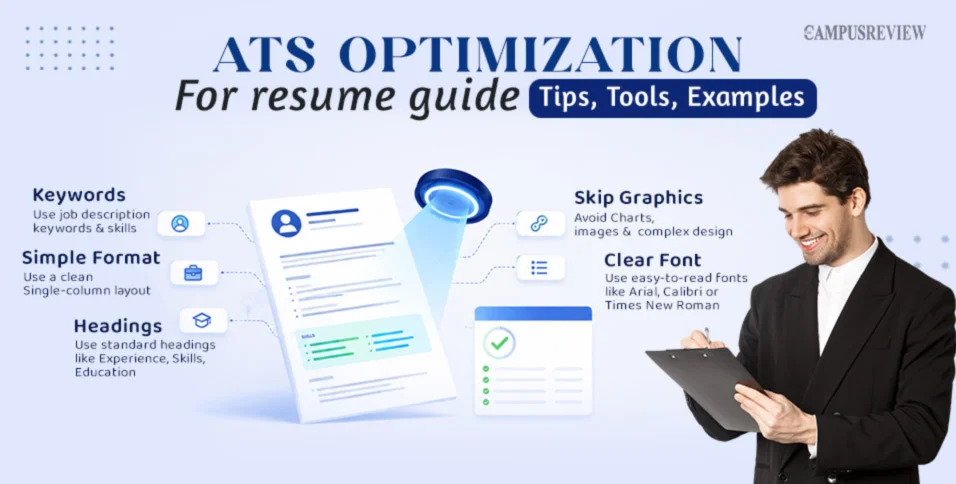
If your resume is difficult for software to parse, important information may not be identified correctly.
7 Practical ATS Optimization Tips
1. Keep the Layout Simple
A clean, single-column resume is generally easier to process than a design-heavy resume with multiple columns and visual elements.
2. Use Standard Section Headings
Use familiar headings such as:
Summary
Work Experience
Education
Skills
Certifications
3. Match Relevant Job Keywords
Read the job description carefully and identify relevant terms related to:
Skills
Software
Job titles
Certifications
Qualifications
Industry terminology
Use these terms naturally when they accurately describe your experience.
4. Avoid Complex Formatting
Tables, text boxes, graphics, icons, and unusual layouts can make resume parsing more difficult.
5. Use a Professional Font
Arial, Calibri, Times New Roman, and Helvetica are examples of commonly readable fonts.
6. Choose the Correct File Type
Follow the employer's instructions. When no specific format is required, a clean DOCX or text-based PDF is generally preferable to a scanned document.
7. Customize Your Resume
Don't submit exactly the same resume for every position. Adjust your skills and experience sections to reflect the requirements of each relevant job.
Final Check
An ATS-friendly resume should be:
Simple + Relevant + Readable + Job-specific
The objective isn't to manipulate the ATS. It's to clearly communicate your qualifications so both technology and recruiters can understand them.
👉 Read more:
ATS Optimization — The Campus Review#ATS #ATSResume #ResumeOptimization #CareerTips #JobSearch


 Locked